

Free Custom Trading BotFree DCA Trading BotFree Grid Trading BotWebhook BotFree Copy Trading BotFree Smart Money BotFree CRT Trading BotFree AI Trading AgentTrading TerminalAI CoachNotificationsBacktest
Centralized (CEX)
 Binance
 Bybit
Bybit OKX
OKX KuCoin
 Kraken
 BloFin
 Coinbase
 Crypto.com
Decentralized (DEX)
 Hyperliquid
 GRVT
GRVT AsterDEX
 Extended
 Decibel
 StandX
 Phoenix
Getting Started
Dashboard Overview
Updated March 11, 2026
Your dashboard is the central hub for managing all your trading bots and monitoring performance.
Dashboard Cards
At the top of the dashboard, you'll see key metrics across all your bots:
- Total P&L — Combined profit and loss across all bots.
- Win Rate — Percentage of winning trades.
- Total Trades — Number of completed trades.
- Active Bots — How many bots are currently running.

Bot Cards
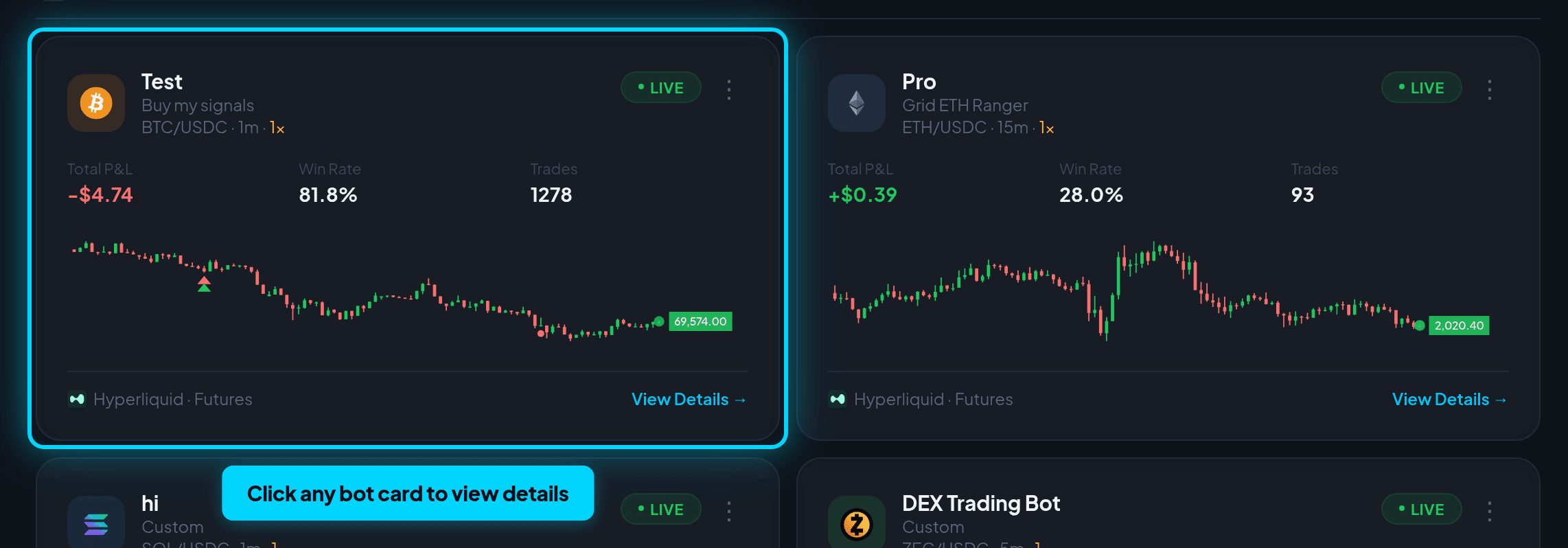
Each bot is shown as a card with its status, exchange, trading pair, and key stats. Click a bot card to see detailed information.
Bot Statuses
- Running — Bot is actively trading.
- Stopped — Bot is configured but not trading.
- Error — Bot encountered an issue and was stopped.
Bot Detail Page
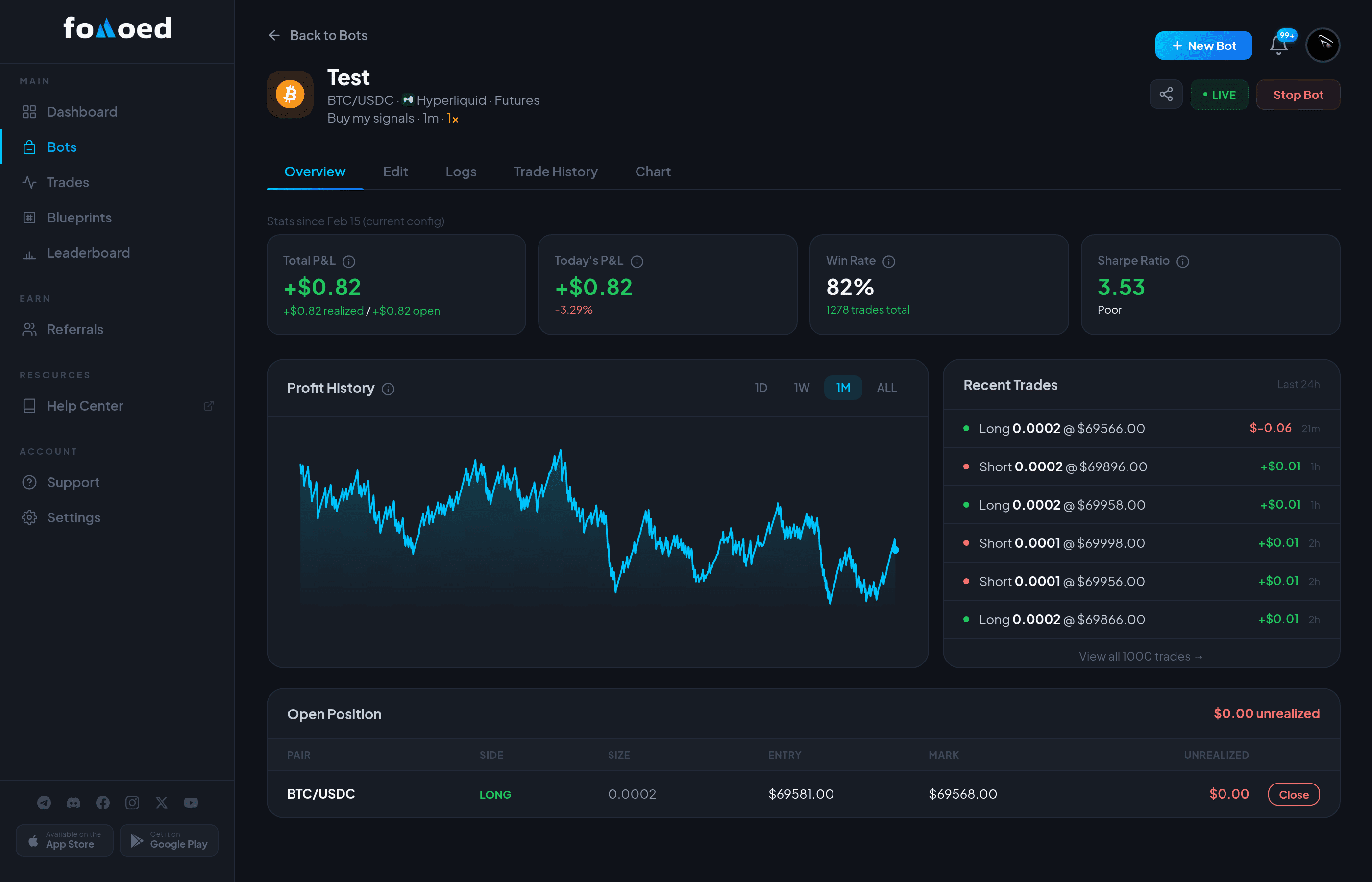
Clicking on a bot card opens the detail page with five tabs:
- Overview — Live balance, P&L chart, open positions, and recent trades.
- Trades — Full trade history with entry/exit prices, P&L, and timestamps.
- Settings — View and modify your bot's configuration.
- Logs — Real-time activity logs from the bot engine.
- Backtest — Run historical backtests on your strategy (select exchanges).
Creating a New Bot
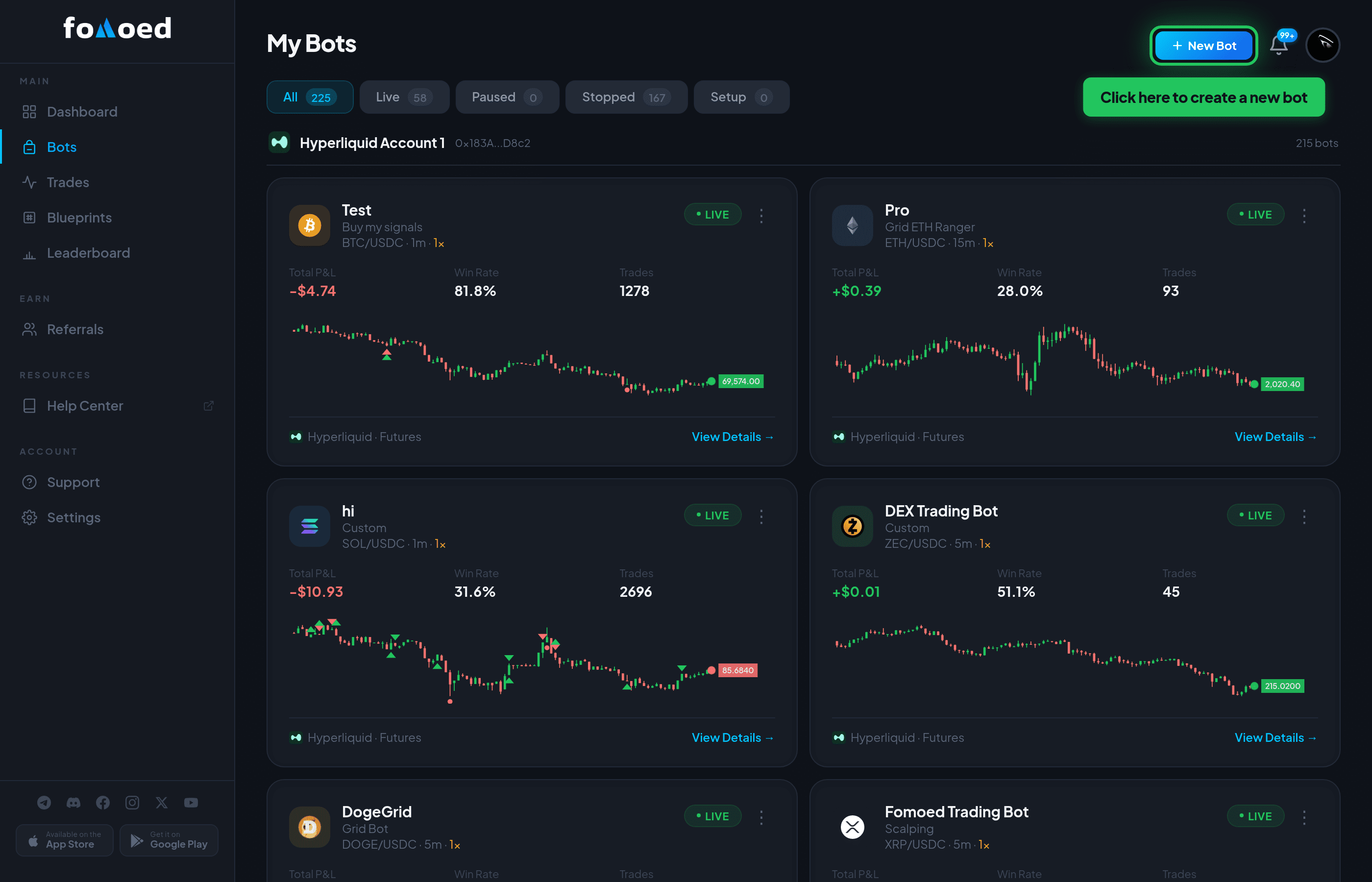
Click the "Create Bot" button in the top right of your dashboard. See the Quick Start Guide for a step-by-step walkthrough.
Did this answer your question?