

Free Custom Trading BotFree DCA Trading BotFree Grid Trading BotWebhook BotFree Copy Trading BotFree Smart Money BotFree CRT Trading BotFree AI Trading AgentTrading TerminalAI CoachNotificationsBacktest
Centralized (CEX)
 Binance
 Bybit
Bybit OKX
OKX KuCoin
 Kraken
 BloFin
 Coinbase
 Crypto.com
Decentralized (DEX)
 Hyperliquid
 GRVT
GRVT AsterDEX
 Extended
 Decibel
 StandX
 Phoenix
Trading
Take Profit & Stop Loss
Updated March 11, 2026
Every bot needs well-configured take profit (TP) and stop loss (SL) settings to manage risk and lock in gains.
Take Profit
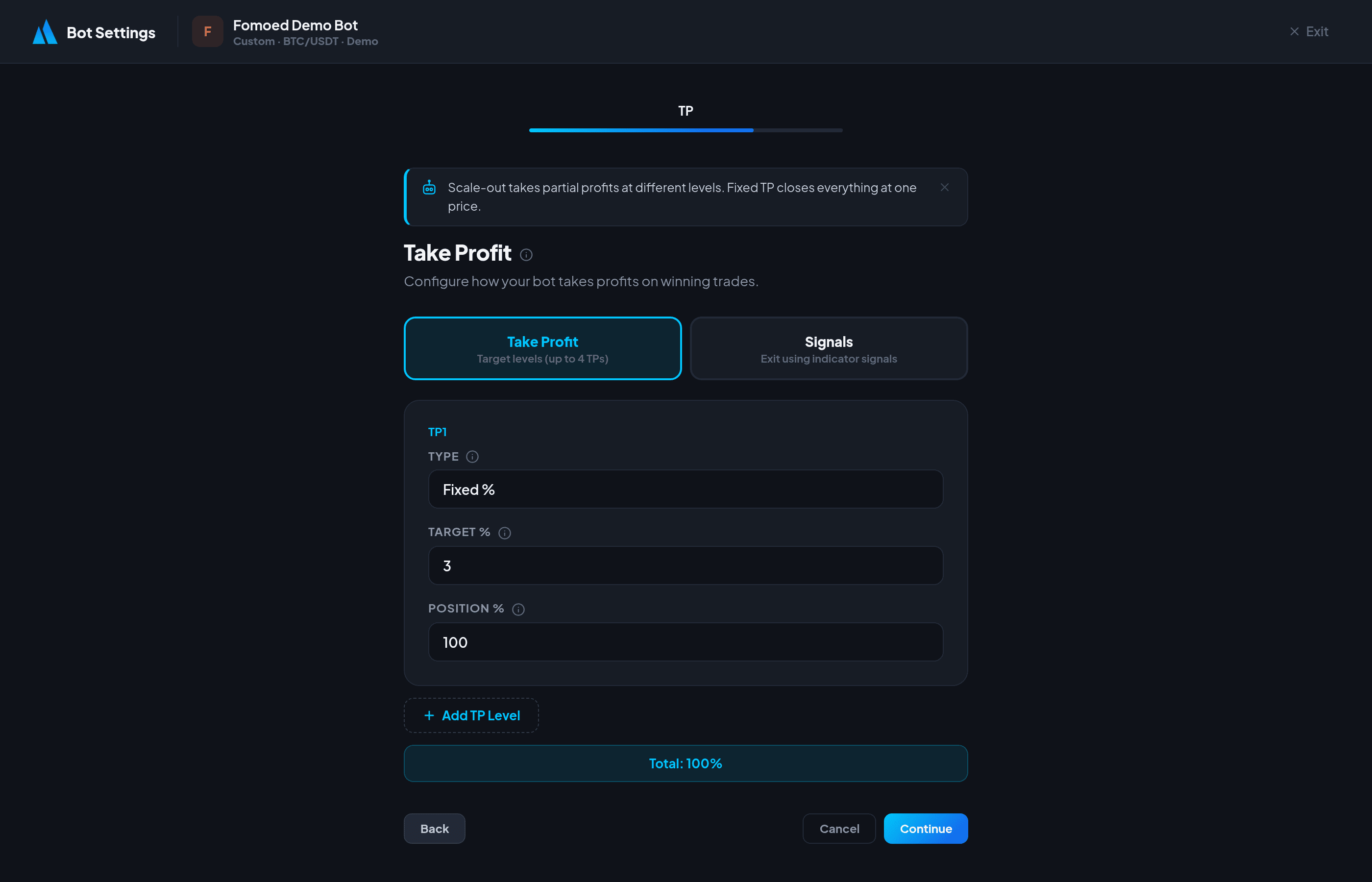
Fomoed offers two take profit modes:
Scale-Out (Multiple TPs)
Close your position in stages as the price moves in your favor:
- TP1 — Close a portion at the first target (e.g., 50% at +1.5%).
- TP2 — Close more at the second target (e.g., 30% at +3%).
- TP3 — Close the remainder at the final target (e.g., 20% at +5%).
Scale-out is recommended because it locks in partial profits early while letting the rest ride for larger gains.
Fixed TP
Close the entire position at a single percentage target. Simpler but less flexible.
Stop Loss
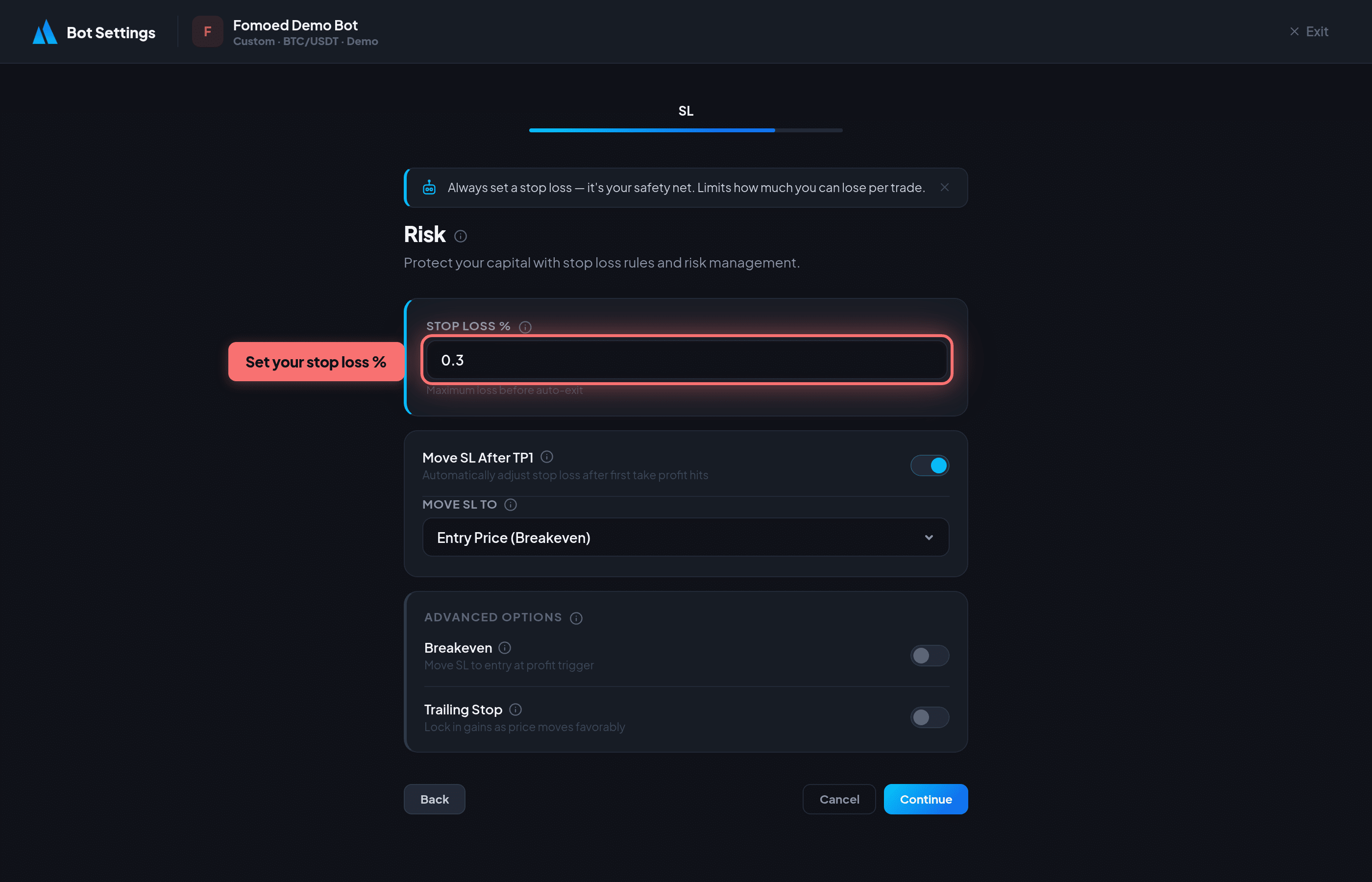
Protect your capital with these stop loss options:
Basic Stop Loss
Set a fixed percentage below your entry price. If the price hits this level, the position is closed to limit losses.
Advanced Options
- Move SL after TP1 — After the first take profit is hit, move the stop loss to a better level to protect remaining profits.
- Breakeven Stop — After TP1, move the stop loss to your entry price so the remaining position is risk-free.
- Trailing Stop — The stop loss follows the price upward by a fixed percentage. If the price reverses, the trailing stop triggers and locks in gains.
Recommended setup: Use Scale-Out TPs (50%/30%/20%) with a Breakeven Stop after TP1. This locks in early profits and makes the remaining position risk-free.
Did this answer your question?