

Free Custom Trading BotFree DCA Trading BotFree Grid Trading BotWebhook BotFree Copy Trading BotFree Smart Money BotFree CRT Trading BotFree AI Trading AgentTrading TerminalAI CoachNotificationsBacktest
Centralized (CEX)
 Binance
 Bybit
Bybit OKX
OKX KuCoin
 Kraken
 BloFin
 Coinbase
 Crypto.com
Decentralized (DEX)
 Hyperliquid
 GRVT
GRVT AsterDEX
 Extended
 Decibel
 StandX
 Phoenix
Account
Notifications & Alerts
Updated March 11, 2026
Stay informed about your bots' activity with real-time notifications. Fomoed supports multiple notification channels.
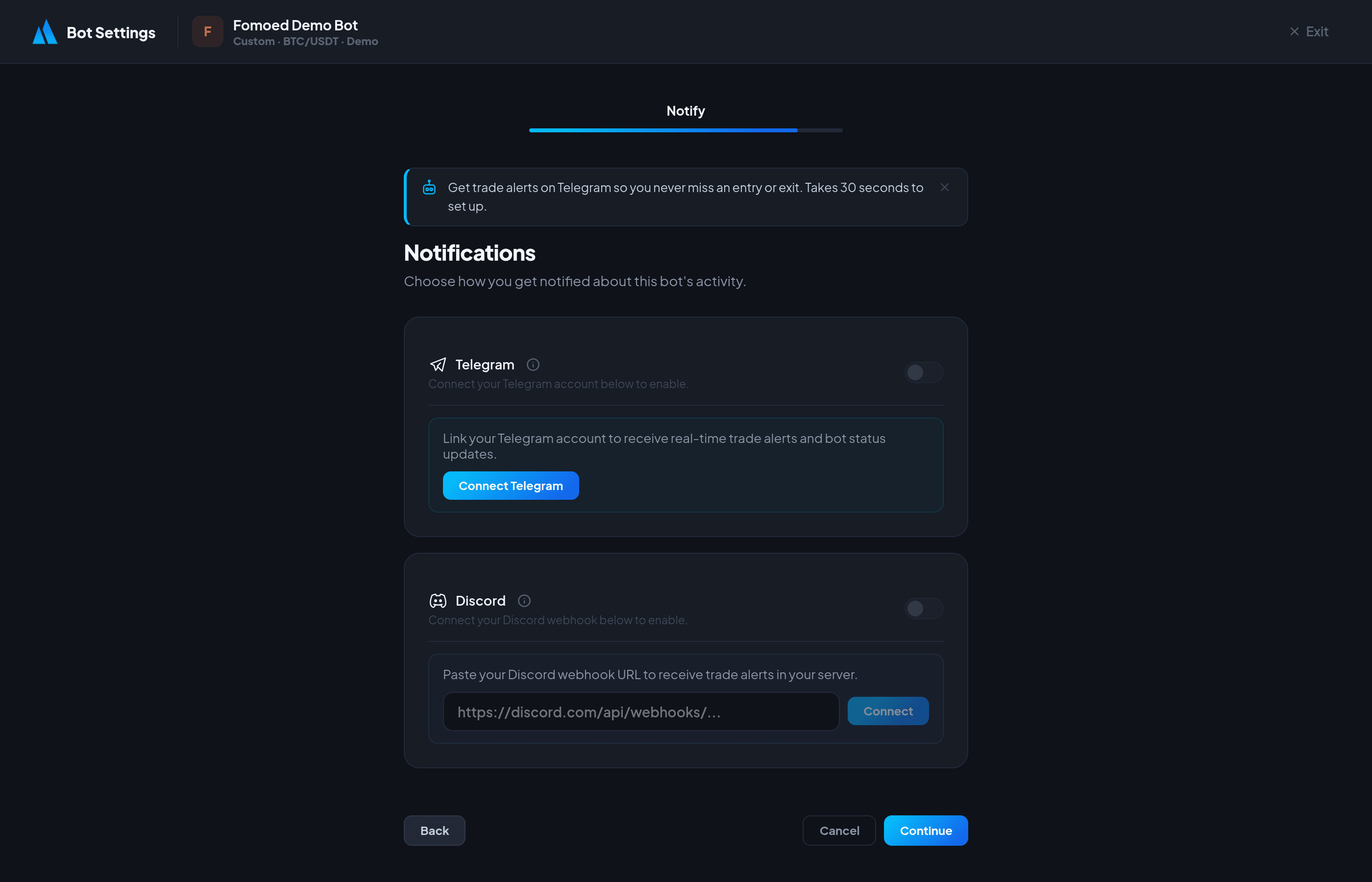
In-App Notifications
All notifications appear in the notification bell on your dashboard. Types include:
- Trade alerts — Position opened, trade closed, P&L updates.
- Bot alerts — Bot stopped, errors, idle warnings, insufficient balance.
- Account — Milestone achievements, important updates.
- Social — New followers, preset purchases.
Telegram Alerts
Get instant trade notifications on your phone via Telegram:
- Open Telegram and search for @BotFather.
- Create a new bot with
/newbotand copy the Bot Token. - Start a chat with your new bot and send any message.
- Get your Chat ID by visiting
https://api.telegram.org/bot<YOUR_TOKEN>/getUpdatesin your browser. - In Fomoed, go to your bot's Settings → Notifications step.
- Enter your Bot Token and Chat ID, then click Test to verify.
Email Alerts
Email notifications are sent for important events:
- Bot errors and auto-stops
- Weekly performance reports (sent every Monday)
Manage your email preferences from /dashboard/settings.
Notification Preferences
You can enable or disable specific notification categories from your account settings. Trade alerts, bot alerts, and social notifications can each be toggled independently.
Did this answer your question?