

Free Custom Trading BotFree DCA Trading BotFree Grid Trading BotWebhook BotFree Copy Trading BotFree Smart Money BotFree CRT Trading BotFree AI Trading AgentTrading TerminalAI CoachNotificationsBacktest
Centralized (CEX)
 Binance
 Bybit
Bybit OKX
OKX KuCoin
 Kraken
 BloFin
 Coinbase
 Crypto.com
Decentralized (DEX)
 Hyperliquid
 GRVT
GRVT AsterDEX
 Extended
 Decibel
 StandX
 Phoenix
Marketplace
Community Presets
Updated March 11, 2026
The Marketplace lets you browse, purchase, and apply trading strategies shared by other Fomoed users. Instead of building a strategy from scratch, you can copy proven setups from successful traders.
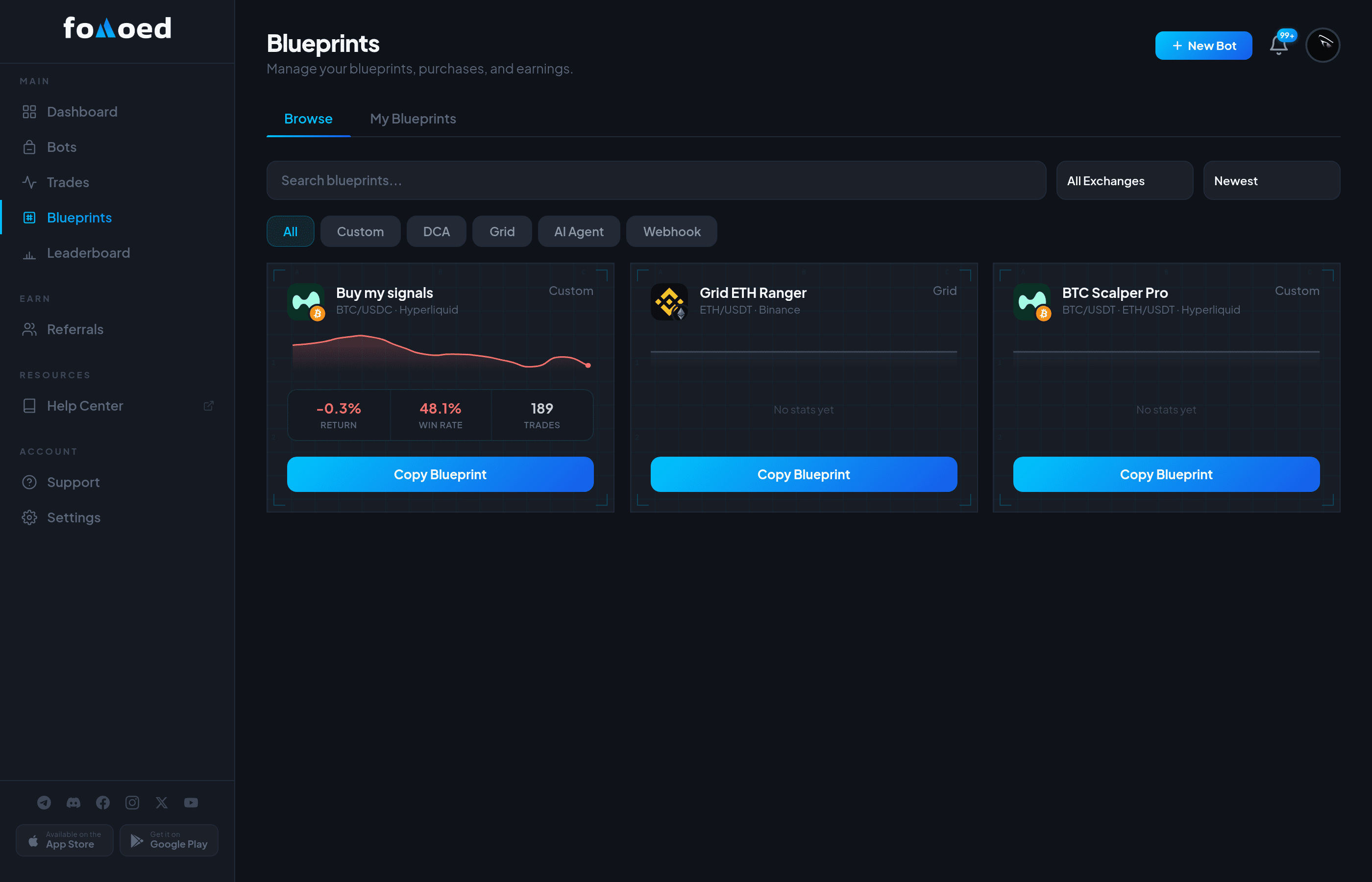
Browsing Presets
Navigate to /dashboard/presets and click the Browse tab to see community presets. Each preset shows:
- Strategy name and description from the creator.
- Creator's stats — Win rate, total trades, and P&L (live or frozen at time of sharing).
- Exchange & pair — Which exchange and trading pair the strategy is designed for.
- Price — Free or paid (set by the creator).
Using a Preset
- Find a preset you like and click on it to see full details.
- Purchase it (if paid) or click Apply (if free).
- The preset's settings are loaded into your bot setup wizard.
- You can modify any settings before starting — the preset is just a starting point.
Following Creators
Follow your favorite strategy creators to get notified when they publish new presets. Click the Follow button on any creator's profile.
Reviews
After using a preset, you can leave a rating (1-5 stars) and a comment to help other traders decide.
Did this answer your question?